
EaseTalk
Therapist connected speech practice

EaseTalk connects speech and language therapists with the practice that happens between appointments, through structured activities and real world AI conversation practice.

HIHI AI Call 2025 WinnerHealth Innovation Hub Ireland

Built with clinicians · shaped by lived experience · currently in clinical pilot

A speech and language therapist and patient speaking face to face.
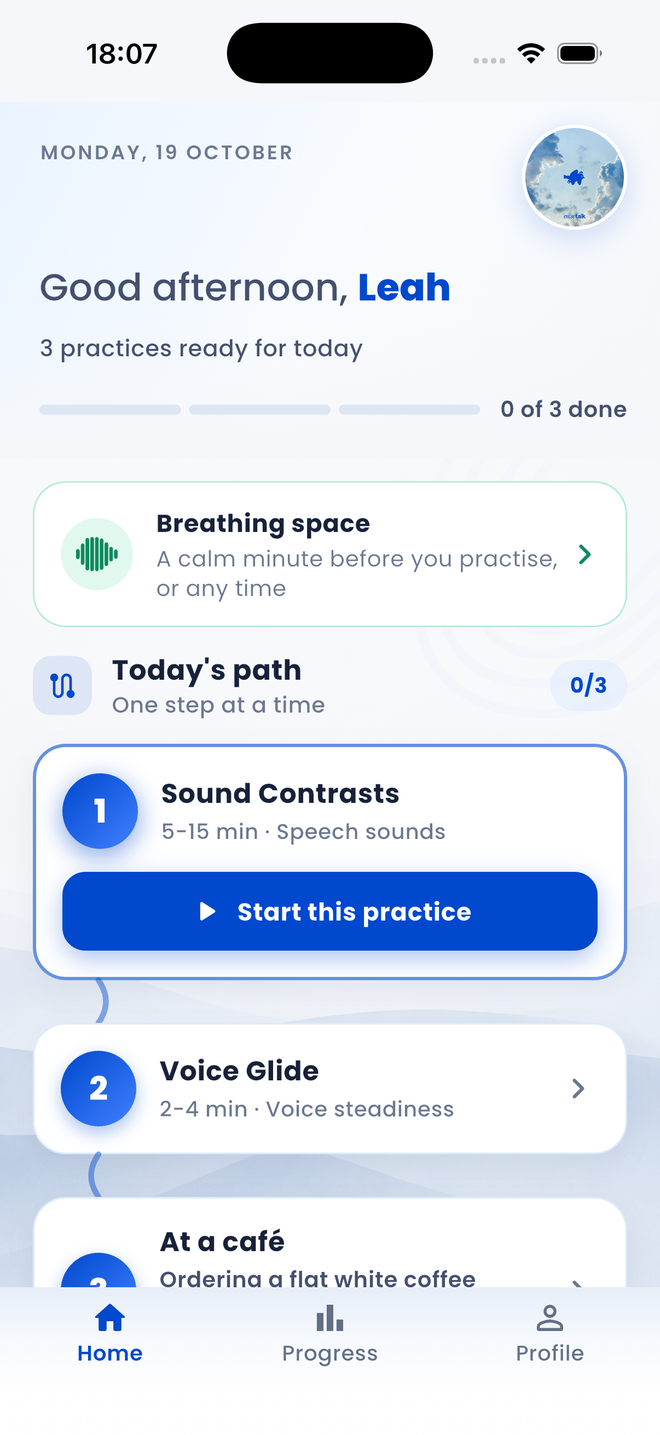
The EaseTalk home screen: three practices ready for today, a breathing space, and a daily path with Sound Contrasts, Voice Glide and a café conversation.
Assigned by your SLTPractice on your own time.

App screens shown in English.

Built and backed at

Named by Enterprise Ireland among 15 healthcare AI innovators to watch for 2026.

The patient experience

Small moments of practice.
More room for confidence.

Explore the practice
Structured practice

Guidance while you practise.

Visual cues help turn an exercise into something clear and manageable. You can see how long is left, whether you are in range, and where you are in the set.

See how it works
A Voice Hold exercise in progress: repetition one of five, a circular timer showing 2.5 of 5 seconds, and a message reading Listening for your voice.
Make practice engaging

Not every exercise has to feel clinical.

Voice, breathing, pacing and other activities can become simple interactive experiences designed to encourage practice, so coming back tomorrow is easier than it was today.

See how it works
A Voice Glide activity in progress: thirty seconds left, an encouraging message and a marker following a curved path.
In development

Small sound differences. Clear visual cues.

Sound Contrasts brings minimal pairs into a guided activity: listen to the words, practise saying them, and see what the app heard.

A preview of our growing speech-sound toolkit. Speech recognition can mishear you; it is not a clinical assessment.

Explore what we are building
Sound Contrasts development preview: a minimal-pairs activity comparing stir and steer, with the intended word and the word detected by the app.

App screens shown in English.

A therapist at a desk, assigning practice from the EaseTalk portal on a laptop.
Two connected experiences

One platform. Two connected experiences.

The portal and the app are two views of the same work. What a therapist assigns is what the person practising opens, and the status they choose is what travels back.

  1. 01Your therapist assigns the practice
  2. 02You practise at home
  3. 03You choose whether to mark it complete
Explore the therapist platform
Communication over perfection.

Keep practice connected to care.

EaseTalk is in clinical pilot, and access runs through the therapists we work with. If you would like to use it, or to talk about running a pilot in your service, we would like to hear from you.