

For the therapist
- Assign personalised practice
- Keep home practice organised
- See what has been completed
- Keep clinical decisions with the clinician
Your therapist sets the practice. You make it part of your day.
Most of the week happens away from the clinic. That is where speaking actually gets tested, and it is the part a therapist has never been able to see.
Time with a therapist is limited. What happens in the days in between shapes how much of it holds.
A sheet of exercises rarely tells you what to say, to whom, or when to stop. Practice quietly stops happening.
Sessions often begin by reconstructing the fortnight from memory, which costs time that could go to therapy.
01Know what to practise
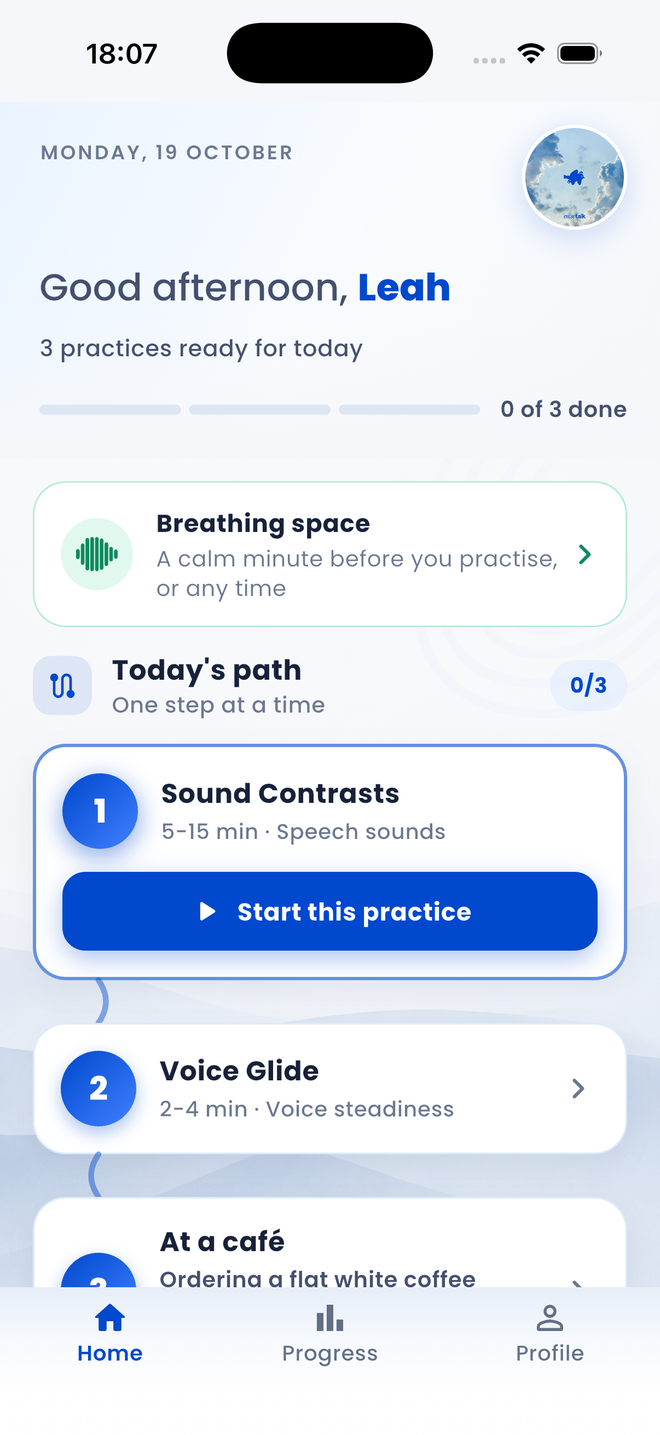
Everything is waiting in one simple path when you are ready. No sheet of exercises to decode, and nothing to plan for yourself. The home screen at the top of this page is the whole of it.
02Practise with guidance
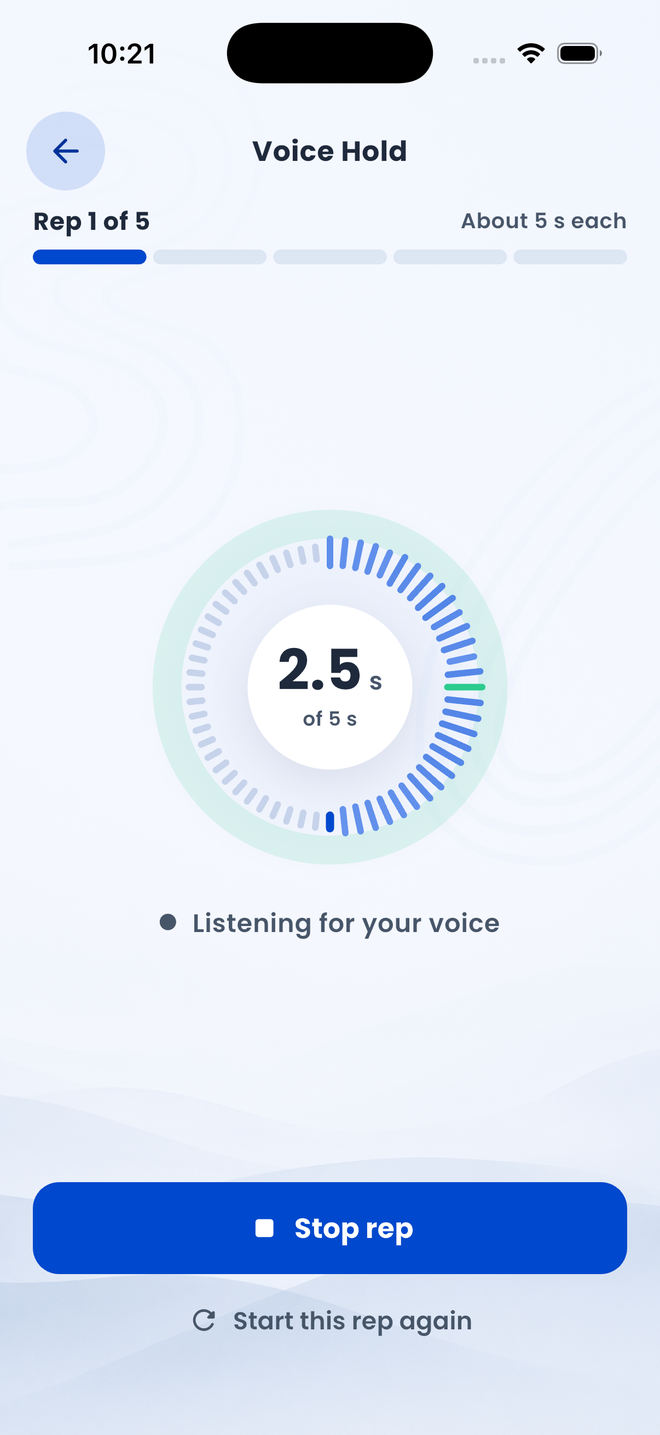
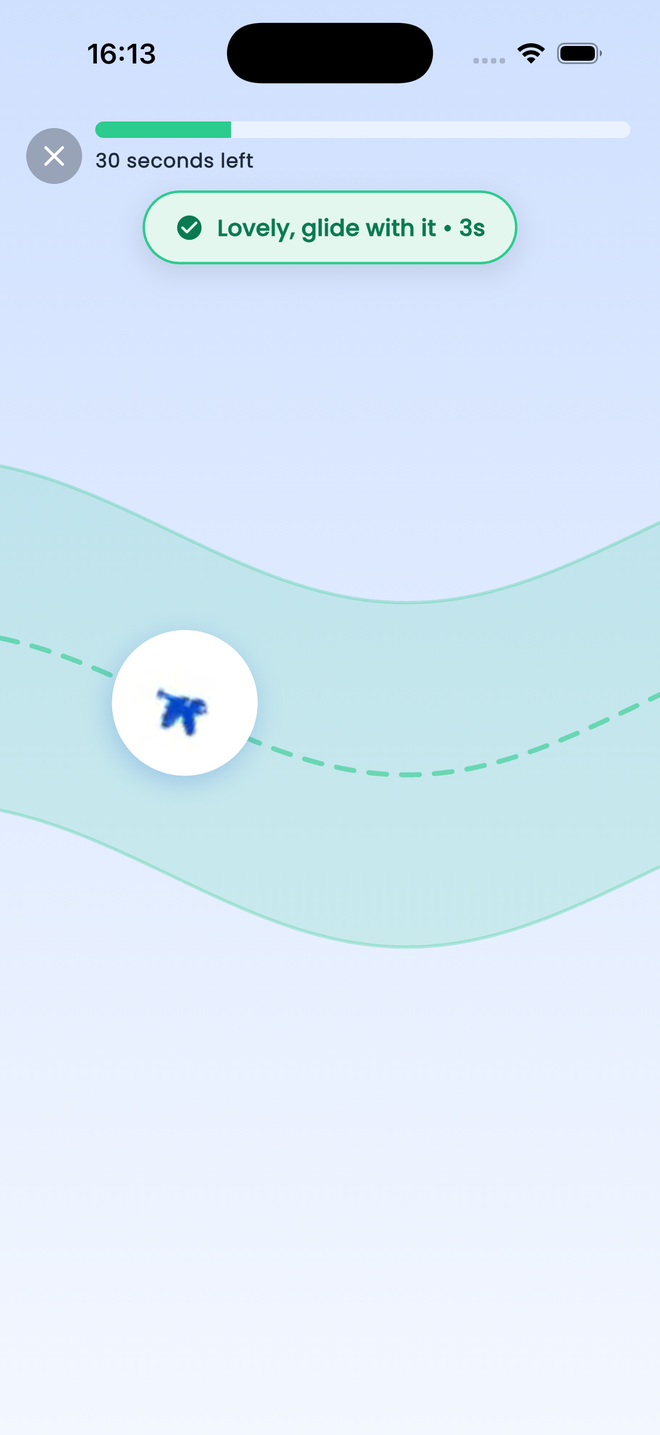
Visual cues help turn an exercise into something clear and manageable. You can see how long is left, whether you are in range, and where you are in the set.
03Make practice engaging
Voice, breathing, pacing and other activities can become simple interactive experiences designed to encourage practice, so coming back tomorrow is easier than it was today.
They choose what matches the work you are doing together, from their own portal.
Open the app, see today's practice on the home screen, and start when you are ready.
When you finish, you decide whether to mark the assignment as completed. EaseTalk does not decide this for you.
They see only whether you marked it complete, never a recording, transcript, score, or analysis of what you said.
You choose whether to mark an assignment as completed. That patient-selected status is the only practice information shown in the therapist portal. Your therapist does not receive your recording, transcript, speech-recognition result, score, or an analysis of the conversation.
The portal and the app are two views of the same work. What a therapist assigns is what the person practising opens, and the status they choose is what travels back.


For the therapist
For the person practising
EaseTalk uses AI to play the other side of a conversation. That is the whole of its job.
The AI responds during a practice conversation so you can rehearse privately. It does not assess your speech or create a report for your therapist.
It makes no assessment, gives no treatment advice, and takes no decision about your care. EaseTalk is not a medical device.
EaseTalk does not use the conversation to track symptoms, measure clinical progress, or decide whether the practice was successful.
Speech systems are trained mostly on typical speech, so they mishear atypical speech more often. That means the people EaseTalk is built for are the people most likely to be misheard. This is why every practice shows you What we heard, and why a mishearing is never quietly treated as a mistake you made. How we handle misrecognition.

The goal is not flawless speech. It is being understood, and feeling able to start the conversation in the first place.
So there is nothing here that shouts at you. No streaks to protect, no leaderboards, no red warning states for a quiet week. Progress moves at the pace you move at.
Places open gradually while we are still in pilot. Add your name and we will come back to you when one opens, whether you want to practise yourself or run EaseTalk in your service.
The button opens your own email app with a short message ready to send. You can also write to hello@easetalk.com.
EaseTalk is in clinical pilot, and access runs through the therapists we work with. If you would like to use it, or to talk about running a pilot in your service, we would like to hear from you.